
◉01
Color harmony
Explore a hue and related palette combinations. Controls and layouts differ between desktop and mobile.
A studio for the colors you notice.
In testingPre-release testing is underway. You can try the current Android debug build below. A store link will appear when the app is released.
Android · Debug build · Pre-release testing
Android may ask you to allow installation from this browser. App privacy policies are still under review.
Extract the complete ZIP, then run AILWORKS-Color-Studio.exe from the extracted folder. Unsigned portable preview; not a Microsoft Store release. Current desktop interface: Korean.
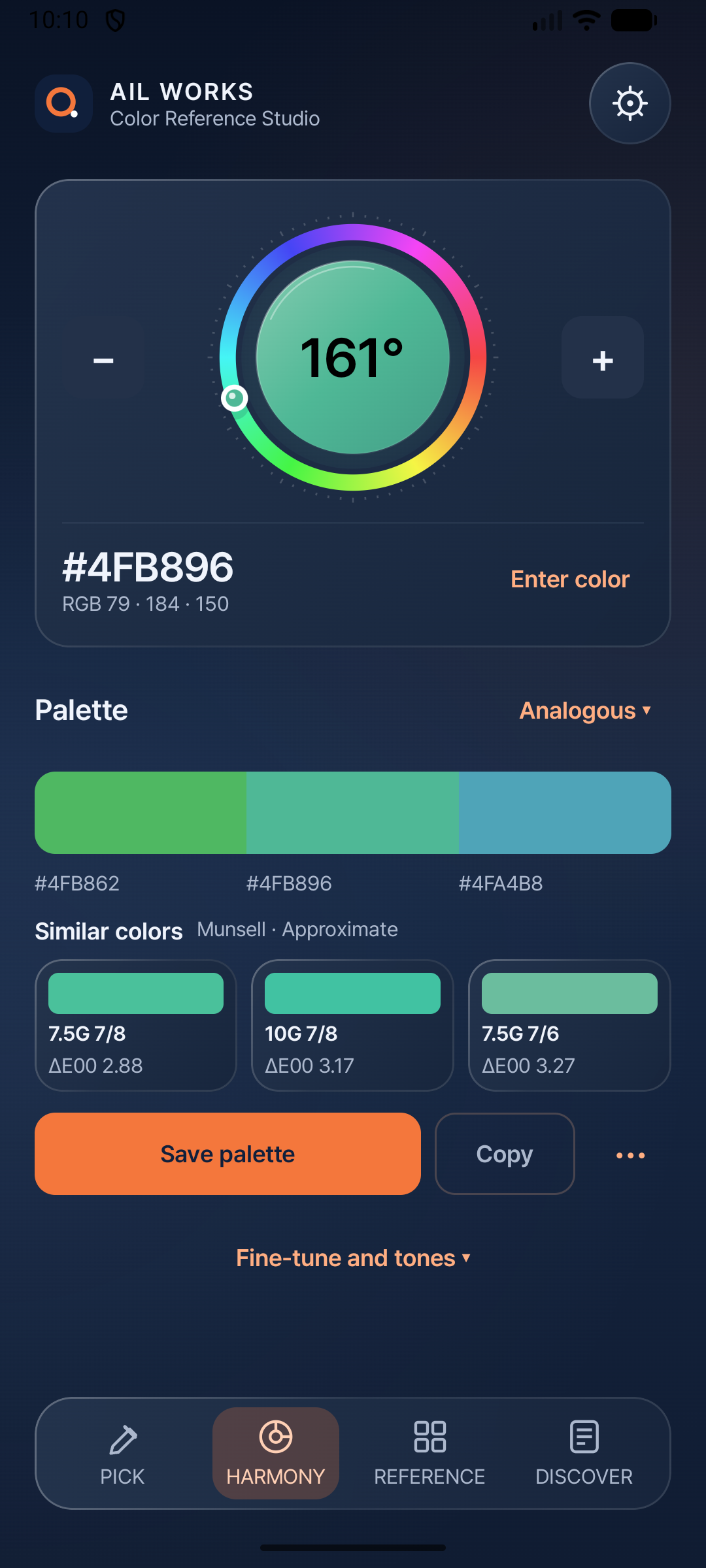
Move from a color you find to a palette you can use. Color Studio has separate Windows desktop and Android mobile previews, with shared color-reference ideas and platform-specific workflows.
Actual preview-build captures.
Choose a platform to explore its interface.
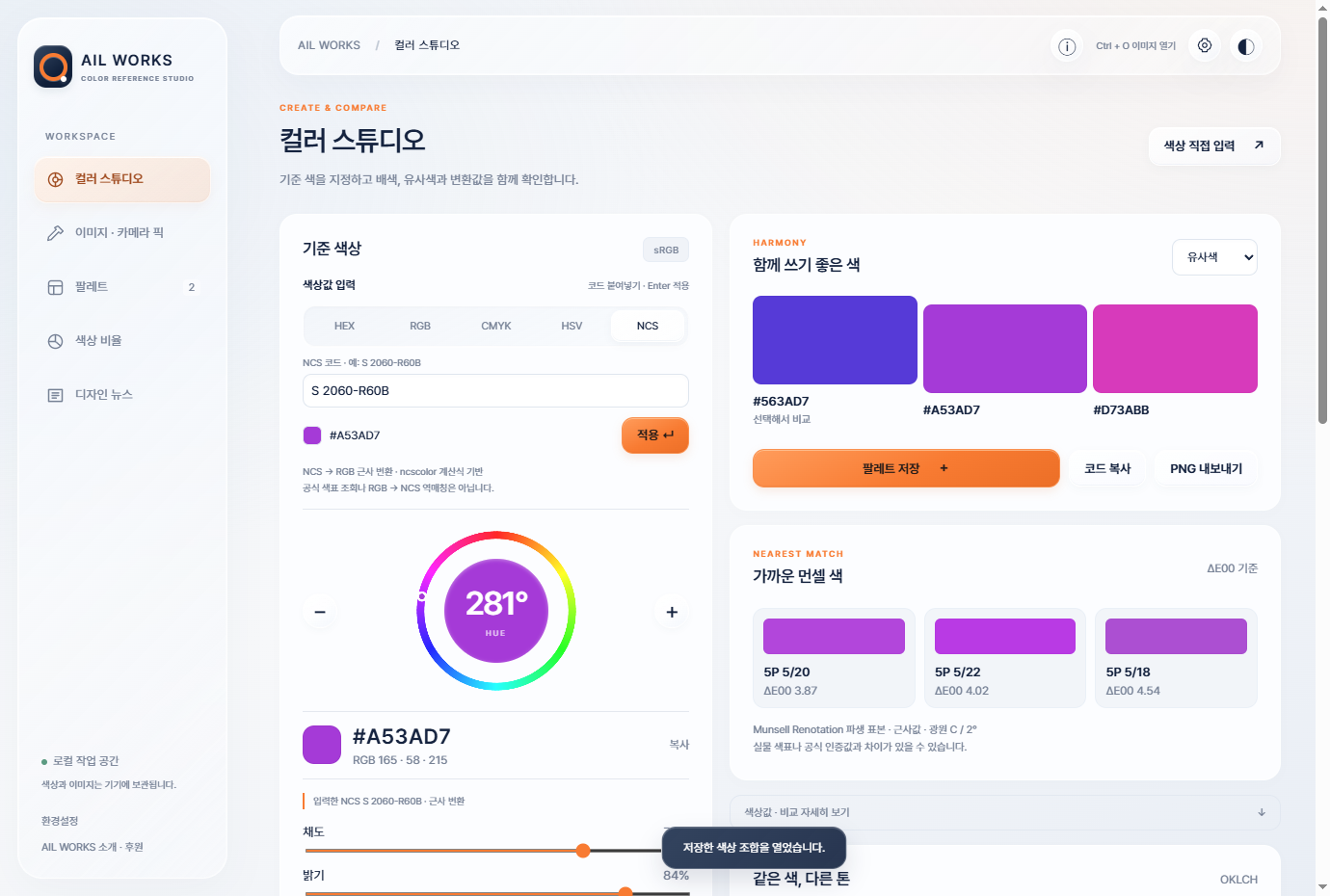
Enter a base color, explore harmonies and compare approximate Munsell candidates. The current Windows interface is in Korean.
Preview features differ between platforms. No cloud palette sync or exact feature parity is promised. These builds are not Microsoft Store or Google Play releases.
Focused on the task.
Free across every feature.
Explore a hue and related palette combinations. Controls and layouts differ between desktop and mobile.
Inspect colors from images or a supported camera. Device processing and lighting affect sampled values.
Explore numerical color values and approximate Munsell candidates. No certified physical-color match is promised.
The Windows preview includes an image color-proportion workspace. This is not a promise of feature parity with Android.
Keep palettes and preferences on the current device. No cross-device cloud synchronization is included.
Publisher headlines and source links provide online inspiration; core color tools are designed for offline use.
Explore the Windows workspace, inspect image colors and compare palettes in a wider layout.
Try a hue wheel or sample from a selected photo using the Android app.
Save palettes locally. Desktop and mobile data do not automatically sync.
These are preview builds. Windows is an unsigned x64 portable ZIP: extract the complete archive and keep its resources beside the EXE. Android is a separate test APK requiring Android 8 or later. Screens, language support and features differ; color estimates depend on hardware and color management.
Offline-first design, all features free and no unnecessary personal data collection are the principles behind every AIL tool. Each app’s actual behavior must be checked before its privacy policy is finalized.
The story behind the tools ↗